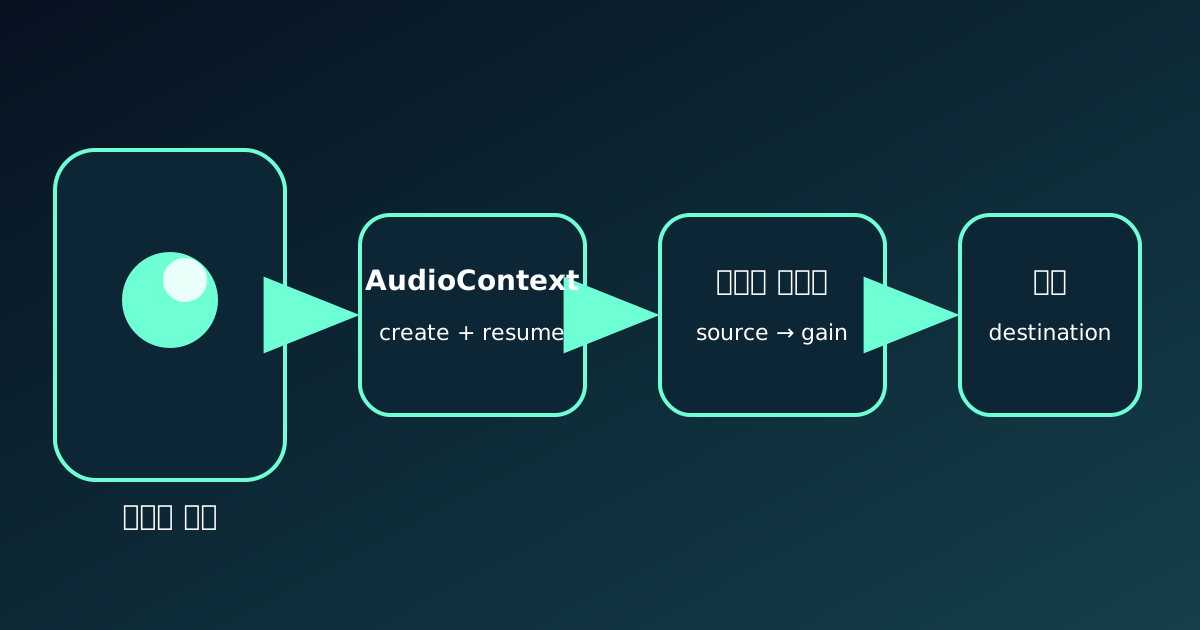
A sound toggle can say on while the device remains silent. The UI records intent; audible output also requires an allowed, running context, decoded data, a connected graph, a source start, and a real collision event.
Mobile autoplay restrictions give the listener control. Interactive ASMR should activate audio inside a user gesture and diagnose every later stage instead of trying to bypass that policy.
Sound On is not proof of playback
Muted=false does not prove that AudioContext time advances. Track state, currentTime, buffer duration, gains, connections, start, ended, and collision counts.
Separating input, physics, and audio turns one silent symptom into a precise failed stage.
- UI intent
- Context state
- Decoded buffer
- Connected graph
- Collision request
Autoplay waits for a user gesture
Browser guidance treats audible playback outside user input as autoplay. Creating a context at load does not grant output permission.
Create or resume one context in the first click, pointer, or touch through a shared unlock function. A tiny silent buffer can verify the path without surprising the listener.
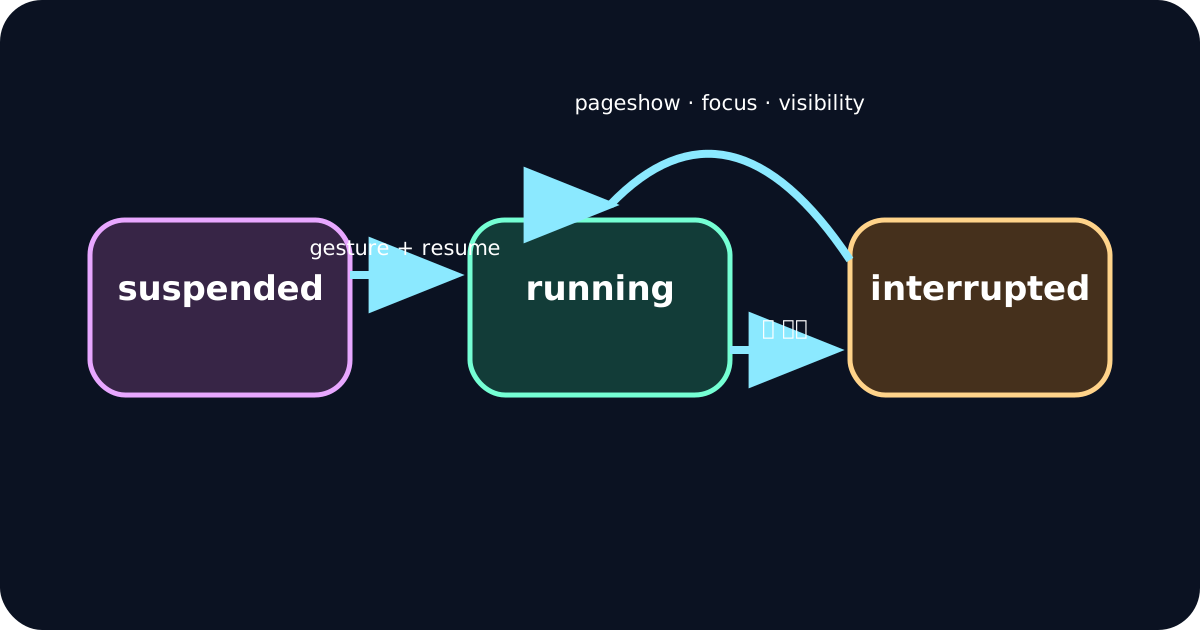
Distinguish suspended, running, and interrupted
resume returns a Promise, so verify running after it resolves. Backgrounding, calls, screen lock, and app switching may stop output.
Use pageshow, visibilitychange, and focus to resume the existing context. Rebuild only after a closed context and a new valid gesture.
- suspended
- running
- interrupted
- closed
Files, decoding, and routing can still fail
Check fetch status, byte length, decode success, duration, and codec support. A development URL can become a production 404.
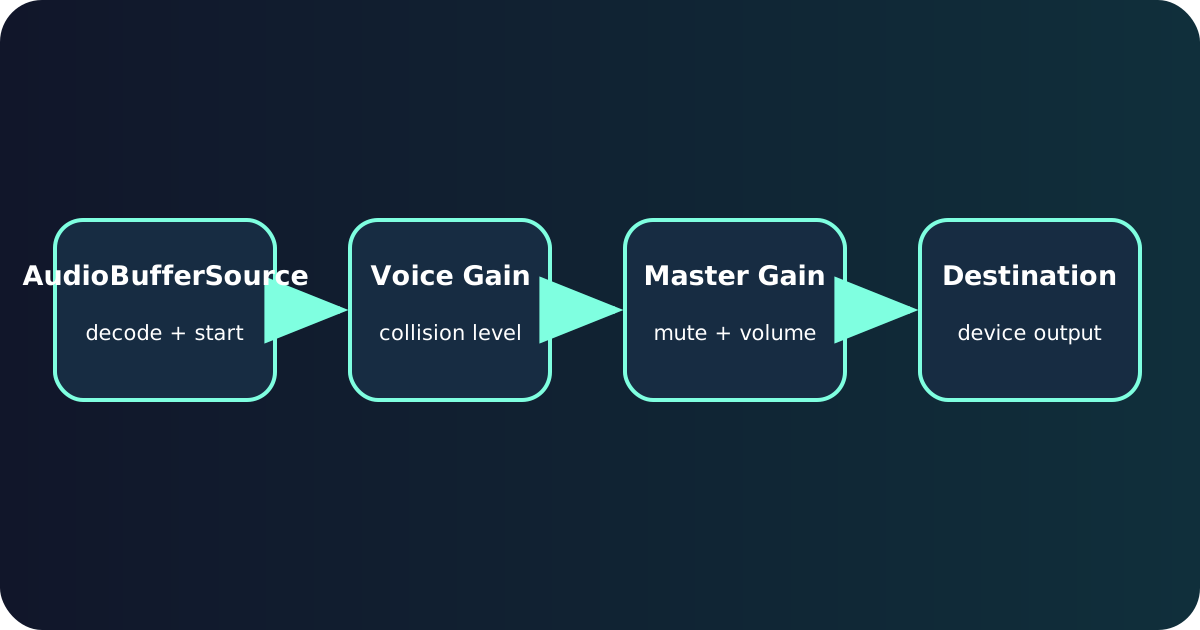
Reuse AudioBuffer data but create a new one-shot BufferSource for each event, then connect voice gain, master gain, and destination. Restore the real master gain when unmuting.
Guide iPhone users without hiding bugs
A short mobile notice can mention silent mode and device volume, but it cannot replace context diagnostics.
Browser names do not guarantee different media behavior on iPhone. Test Safari and Chrome on real devices and keep unlock active even when the notice is dismissed.
A practical mobile verification sequence
Open a fresh tab, confirm no unsolicited sound, tap once, verify running time, create a collision, and observe start and ended as actual audio plays.
Repeat after backgrounding and screen lock, then test cold file loading and mute recovery. Automated tests help, but only real-device listening verifies device output.