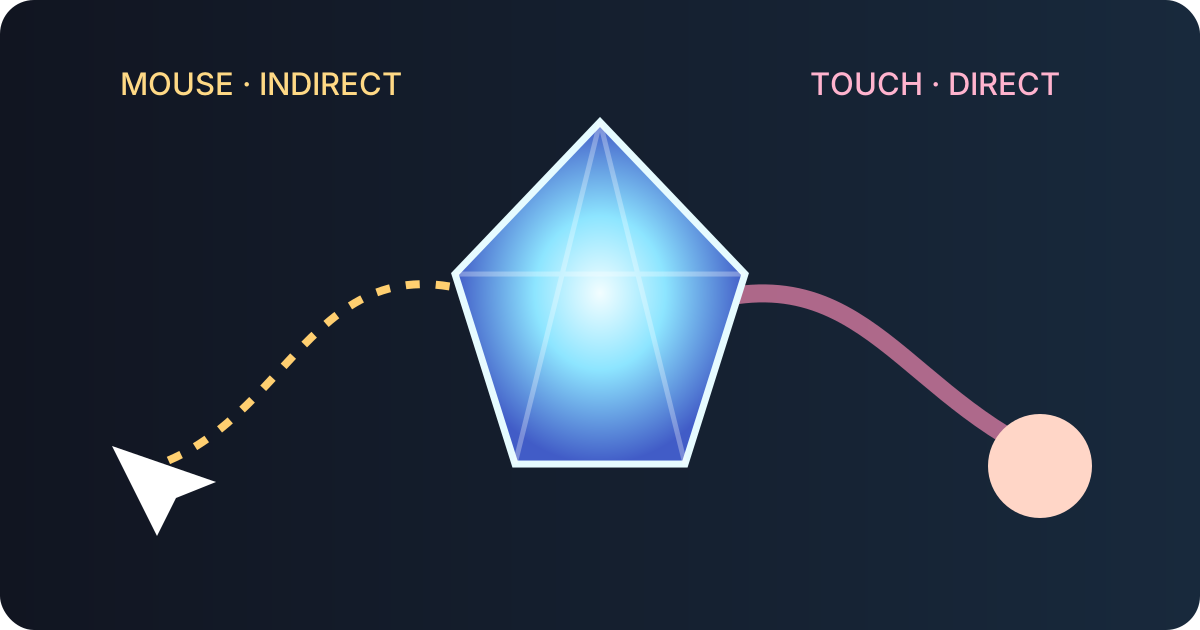
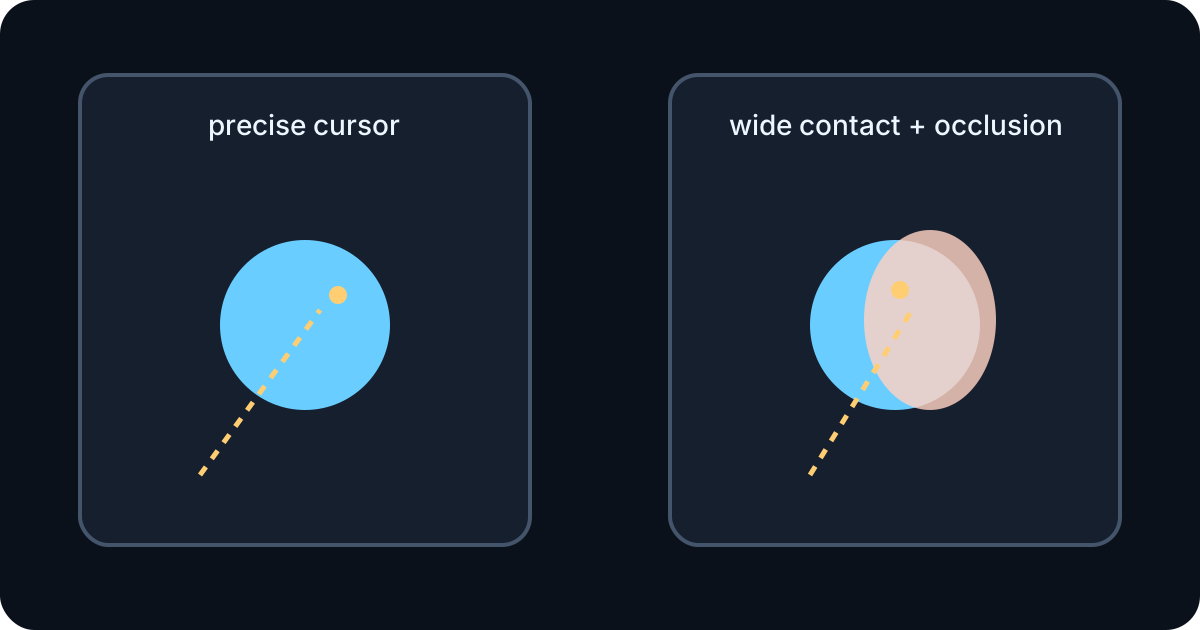
A mouse is a small indirect point; a finger is a wide direct contact that hides part of the target. Touch also competes with page scrolling, so copying desktop drag code does not create the same feeling.
Pointer Events provides one model for mouse, touch, and pen, but the implementation must still respect contact size, visibility, sampling, capture, and accessible alternatives.
One event model, different physical conditions
Mouse coordinates are precise, touch contact is wide, and pen pressure varies by device. Do not make core interaction depend on pressure.
Enlarge the invisible touch hit area without enlarging the physics collider, and resolve nearby candidates by depth and context.
- Mouse point
- Touch area
- Pen variability
- Separate hit and physics shapes
Preserve the grab offset
Raycast from the camera and store the difference between the hit point and object center. Moving the center directly to the pointer causes a visible jump and deep overlap.
Choose a drag plane that preserves starting depth, then enforce a floor minimum so a gem cannot be dragged below the surface.
Pointer capture owns the drag
setPointerCapture keeps subsequent events when the pointer leaves the gem or canvas. Release on pointerup and clean safely on pointercancel.
Use touch-action only where the canvas owns the gesture; keep document scrolling available around controls and content.
- down
- capture
- up
- cancel
Smooth is not the same as delayed
Coalesced events can expose intermediate samples where supported. A fallback must keep the latest normal event.
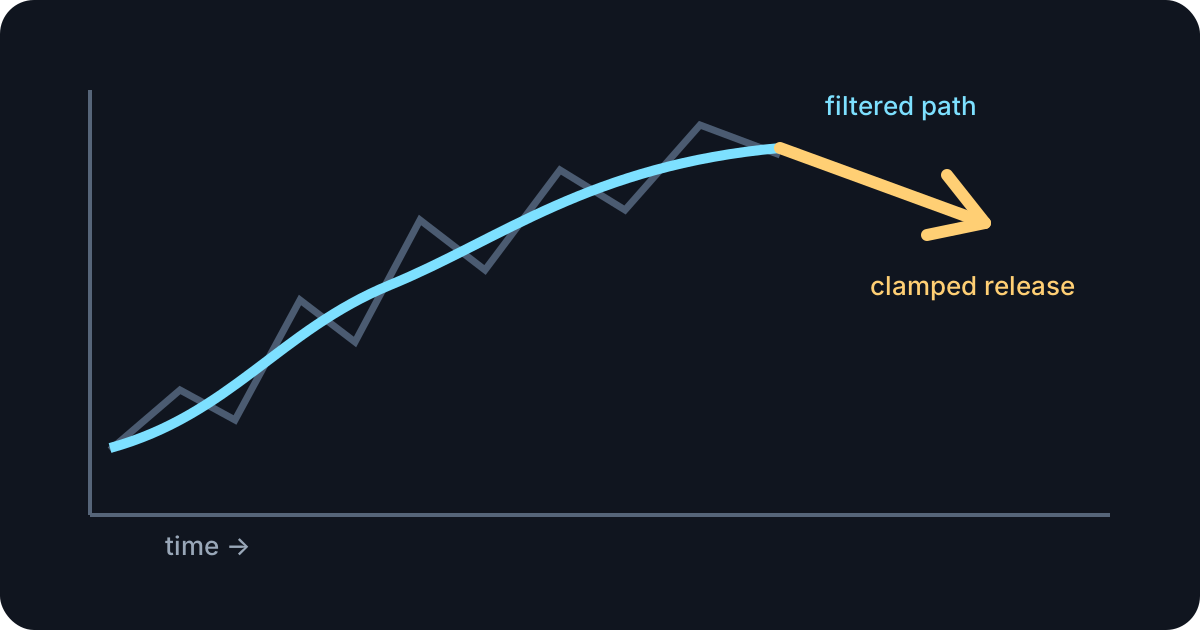
Time-aware filtering reduces noise consistently across refresh rates. Kinematic targets or constraints should respect collision limits instead of teleporting through the scene.
Release should preserve intent
Estimate velocity across a short timestamped window, map it into the drag plane, and clamp it. Reject false upward speed while preserving a fast horizontal throw.
Keep angular velocity only when real rotation occurred; clear accidental motion during a slow placement.
- Timestamp window
- World-space mapping
- Vertical clamp
- Intentional spin
Provide paths that do not require dragging
Essential controls need clear labels, keyboard focus, and usable target size. Reduced-motion settings should limit excessive camera and particle motion.
Test on real small phones, orientation changes, edge drags, and app interruption rather than relying only on desktop touch emulation.